
How to quickly create applications using ShortApp
This article advocates replacing traditional development with AI app builders like ShortApp, enabling users to transform ideas into profitable, finished products in just a few days through "Vibe Coding" and natural language descriptions.
If you search for “how to create an app”, you’re probably not looking for theory.
You’re looking for one thing:
A fast way to turn an idea into a real, usable, shareable product — ideally one that can start making money.
That’s why more creators are turning to AI to build an app instead of traditional development.
This article explains:
Why building apps the old way is slow and risky
How the best AI app builder changes the process
How you can build an app with AI in just a few days
Why this approach is becoming the future of vibe coding (VibeCode)
Why “How to Make an App” Tutorials Still Leave You Stuck
Most guides on how to make an app explain the steps:
Define requirements、 Design UI、 Develop features、 Test、 Iterate、 Launch
On paper, it looks simple.
In reality, most people get stuck before they ever launch.
Not because development is hard — but because you lose control of the process.
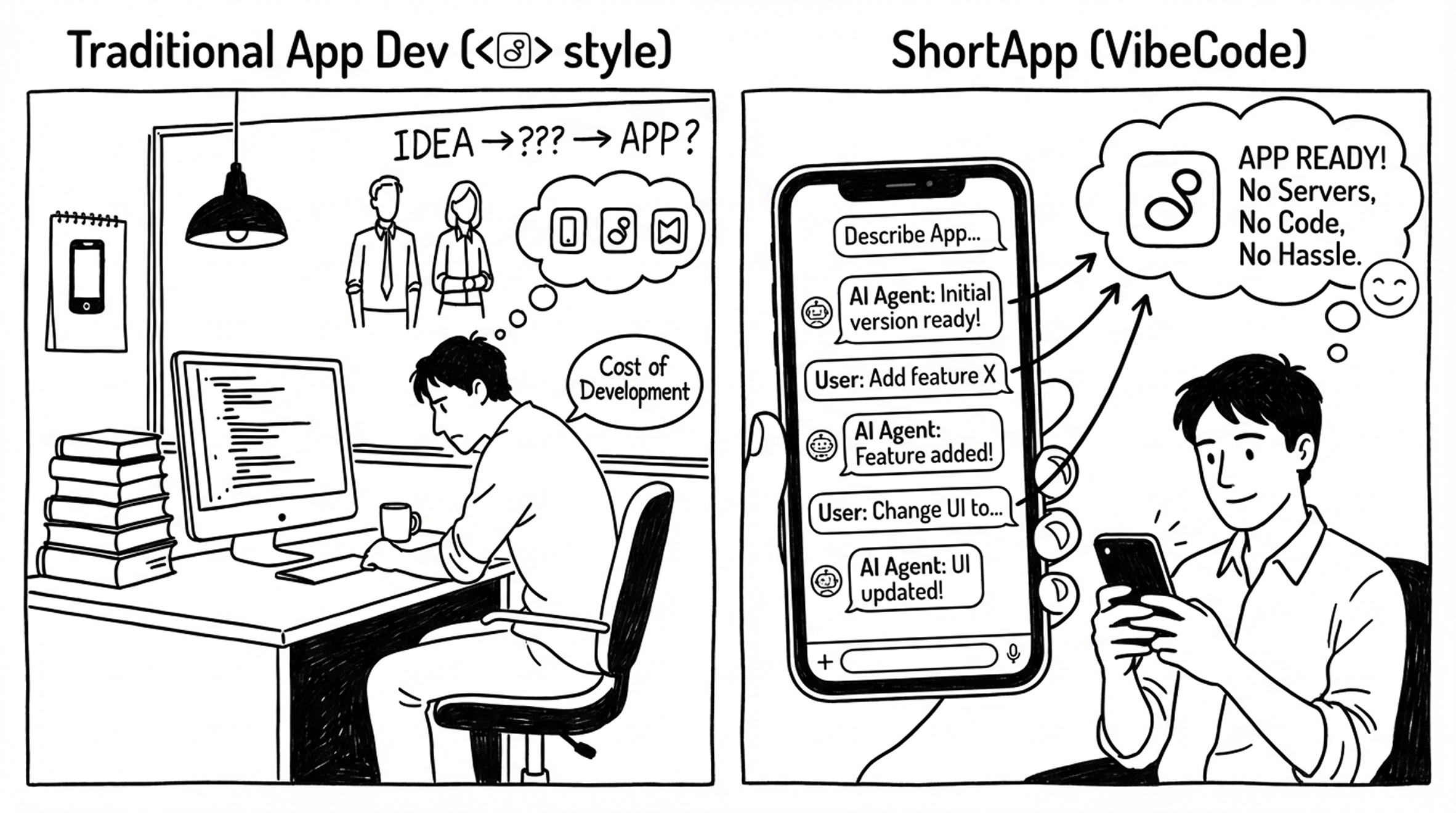
The Traditional App Development
If you’ve tried building an app before, this may sound familiar:
- You start by finding developers, agencies, or freelancers
- Requirements keep changing as ideas become clearer
- Timelines slip, costs increase
- You wait for designs, wait for development, wait for testing
- Weeks (or months) later, you still don’t have a usable product
You paid for progress — but you’re still unsure if the product is right.
That’s why many creators never get past the idea stage.

The Shift: Build an App With AI, Not With Process
The best AI app builder tools flip the workflow completely.
Instead of starting from engineering, you start from description.
Instead of specs and meetings, you start with intent.
ShortApp’s Core Idea
ShortApp is built on a simple principle:
Start building your app from words, not code.
You describe what you want in natural language.
An AI agent generates a runnable app version.
You iterate by chatting — just like giving instructions.
No servers. No setup. No complex engineering decisions.
This is vibe coding (VibeCode) in practice:
high-level intent → fast execution → continuous iteration.
How AI App Builders Actually Work
With a best no code app builder powered by AI, you don’t need perfect answers.
You only need to answer three simple questions:
1.Who is this app for, in what situation, and what problem does it solve?
2.If you could only build one feature first, what would it be?
3.What style should it feel like?
- Minimalist tool
- Lifestyle
- Business / professional
That’s enough to generate a first version.
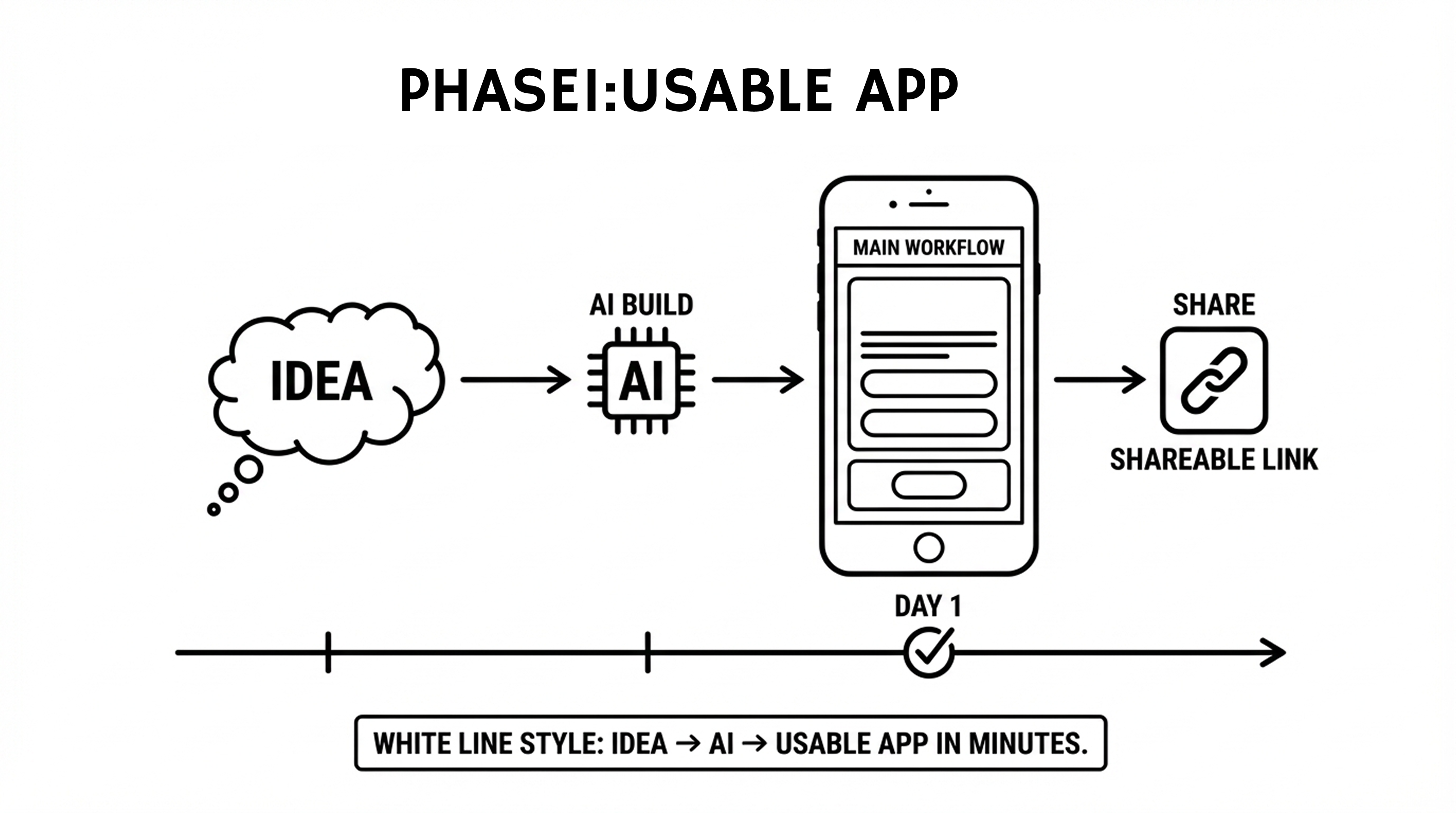
Phase 1: Create a Usable App
When people ask “how can I make an app?”, what they really want is something they can use today.
Phase 1 is about exactly that.
What “Launching in One Day” Actually Means
It does not mean a perfect product.
It means:
- A runnable app
- A working main workflow
- Usable UI and interactions
- Mobile preview
- Shareable link for testing
You can go from one sentence → first version in minutes.
This is where AI to build an app outperforms traditional methods.
Phase 2: From Usable App to Real Product (Users + Data)
Once the core works, iteration becomes fast and obvious.
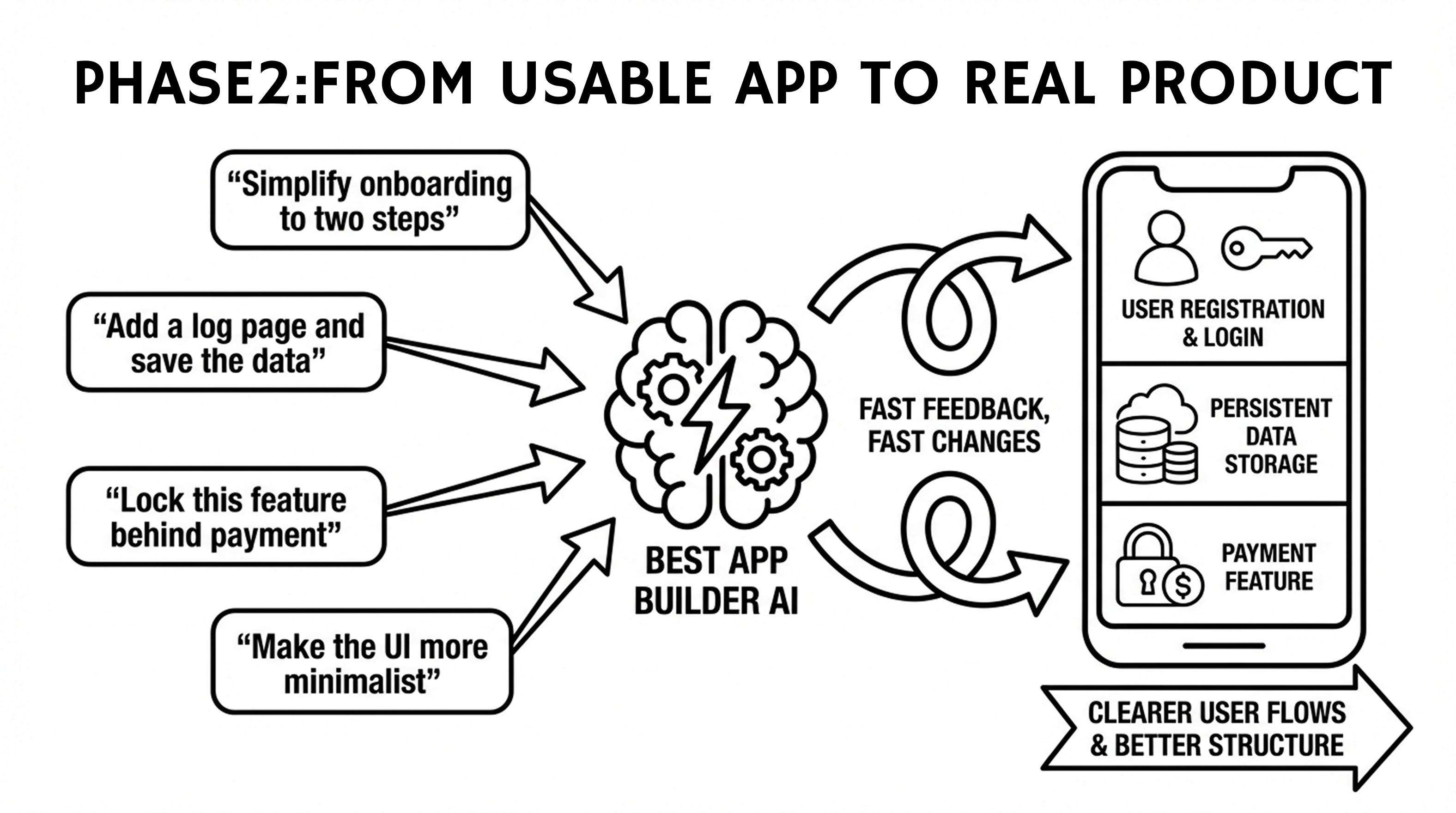
You don’t write specs — you send messages like:
- “Simplify onboarding to two steps”
- “Add a log page and save the data”
- “Lock this feature behind payment”
- “Make the UI more minimalist”
At this stage, you can add:
- User registration and login
- Persistent data storage
- Clearer user flows
- Better content structure
This is where a best app builder AI shines: fast feedback, fast changes.
Phase 3: Monetization and Growth Readiness
By phase 3, your app can be ready to make money.
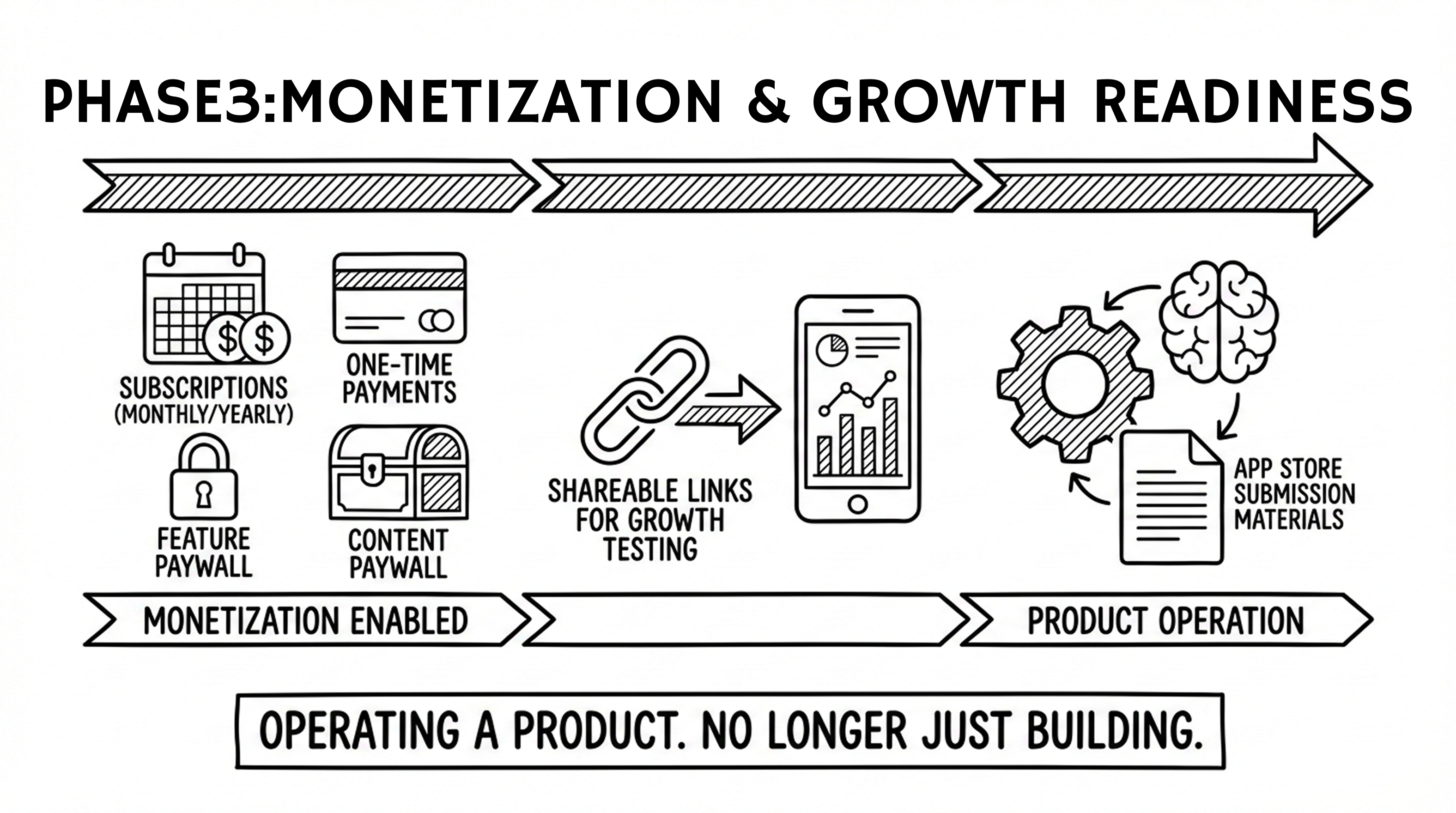
You can enable:
- Subscriptions (monthly / yearly)
- One-time payments
- Feature or content paywall
- Shareable links for growth testing
- App store submission materials (if needed)
At this point, you’re no longer “learning how to build a mobile application”.
You’re operating a product.
What You Actually Get When You Build an App With AI
Using a modern best no code app builder, you can end up with:
- A fully working application (pages, logic, interactions)
- A user system (login / registration)
- Payment capabilities (subscription or one-time)
- Persistent data storage
- Publishing support and release checklists
This is not a prototype.
It’s a real product.
Four Proven App Idea Templates (You Can Copy)
1. Tool App for Individual Users
“I want to create an app to help [target users] solve [problem] in [scenario].
Core features: A, B, C.
Style: Minimalist.
I’ll start with an MVP and validate usage first.”
Best for:
- Fitness apps
- Utility apps
- Journals
- Learning tools
2. Membership App for Creators or Communities
“I have a group of users and want a membership app with free and paid tiers.
It needs login and subscriptions.
Style: Branded and premium.”
Best for:
- Creators
- Content subscriptions
- Knowledge products
3. Appointment or Payment App for Small Businesses
“I run a business and want an app for booking, orders, and payments.
It needs user accounts and order history.
Style: Professional and trustworthy.”
Best for:
- Local services
- Shops
- Booking-based businesses
4. Product-Oriented App for Developers or Indie Makers
“I have an idea and want to quickly build an app with full user, payment, and data systems.”
Best for:
- SaaS
- AI products
- Startup MVPs
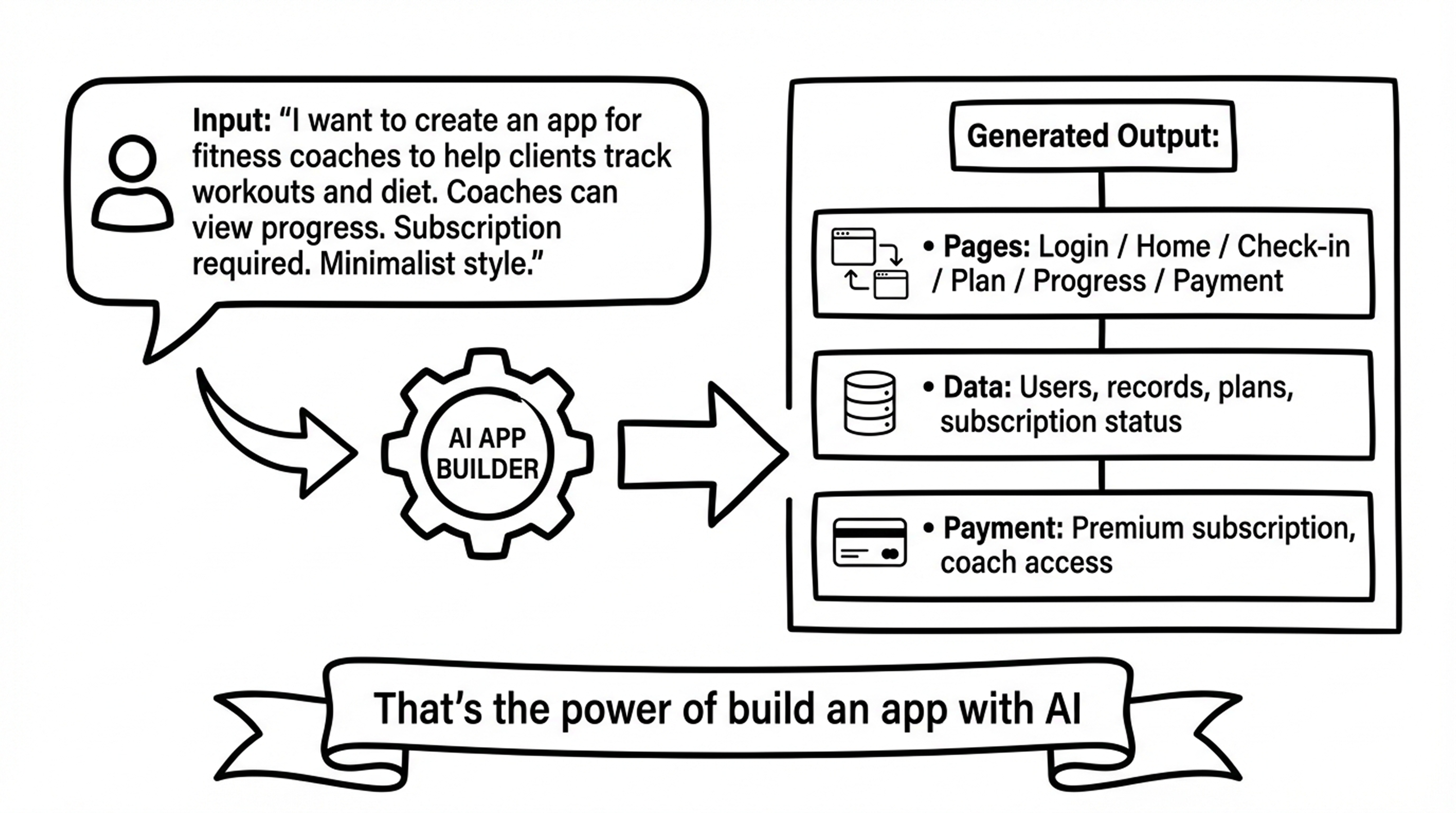
Example: Description → Full App Structure
Input:
“I want to create an app for fitness coaches to help clients track workouts and diet.
Coaches can view progress. Subscription required. Minimalist style.”
Generated Output:
- Pages: Login / Home / Check-in / Plan / Progress / Payment
- Data: Users, records, plans, subscription status
- Payment: Premium subscription, coach access
That’s the power of build an app with AI.
Frequently Asked Questions
Can I use this without programming knowledge?
Yes. Everything is done through natural language.
If you can explain an idea, you can build the app.
Is it really possible to launch in one day?
Yes — if “launch” means a usable, shareable version.
Full monetization typically takes around three days.
Can I publish to the App Store?
Yes. Publishing support and checklists are provided.
Final approval depends on platform rules.
Who owns the data?
You do. Data is stored using mainstream, secure solutions.
Final Thought: Stop Learning, Start Generating
If you want to build a mobile application, the next step isn’t another tutorial.
It’s generating the first version.
That’s why the best AI app builder tools are winning:
they replace months of uncertainty with days of momentum.
Start with description.
Iterate with conversation.
Ship faster than ever before.
That’s the future of app building — and it’s already here.