
Best AI App Builder: How to Choose a Tool That Can Actually Launch and Monetize Your App
This article outlines five essential criteria for selecting an AI app builder focusing on speed, deployment readiness, and monetization and identifies ShortApp as the optimal tool for instantly generating fully functional, scalable, and profitable applications from natural language.
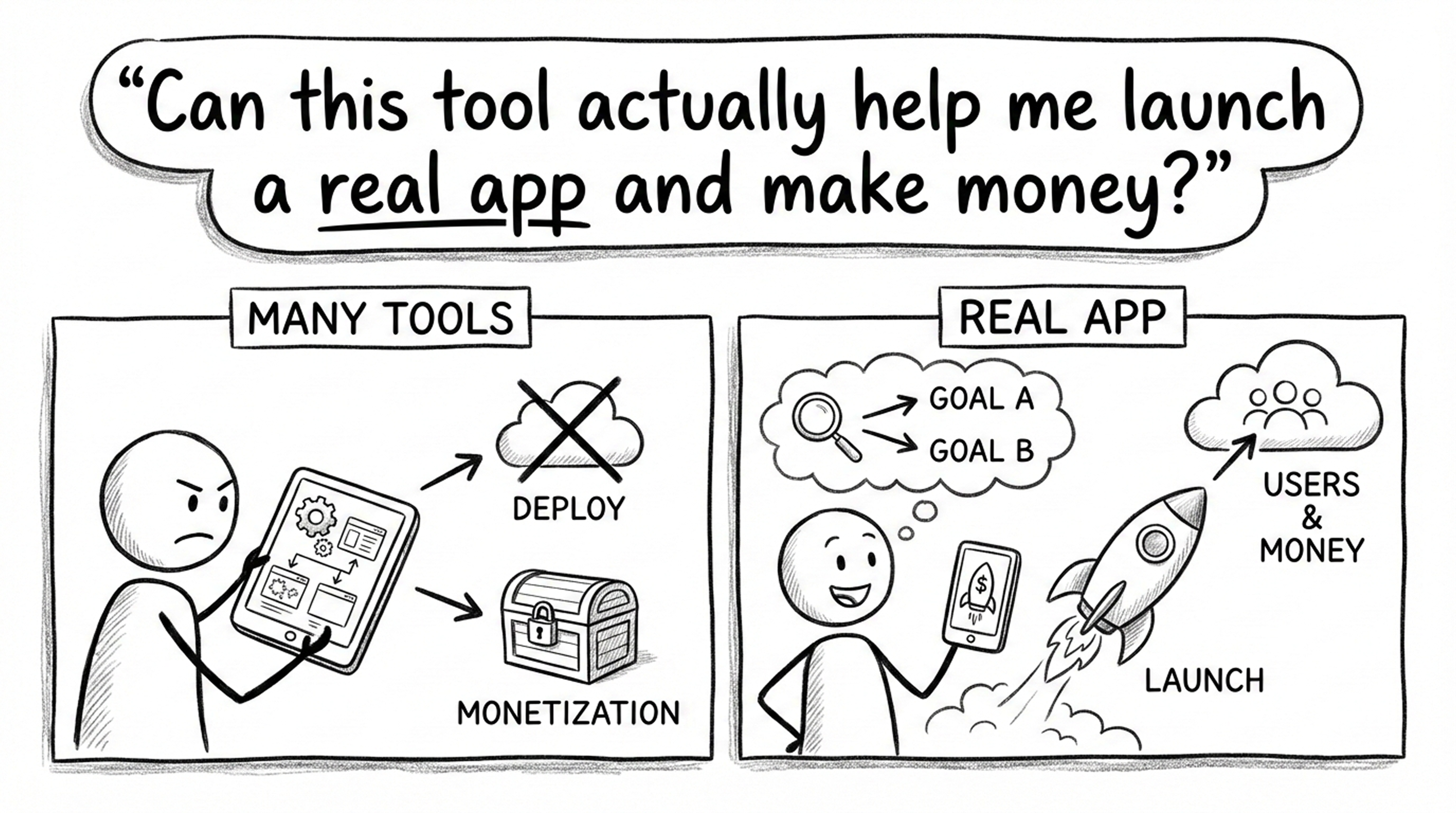
When people search for the best AI app builder or the best no code app builder, they’re usually not asking for more features.
They’re asking one practical question:
Can this tool actually help me launch a real app and make money?
You may have already tried some tools, or at least encountered this situation:
- Many tools can do certain things
- They can generate pages or interfaces
- They can show impressive results
But in the end:
- You can’t deploy them
- Real users can’t actually use them
- Monetization is not realistic
This page does not provide a generic feature checklist.
Instead, it offers clear selection criteria from one core perspective:
Is this tool worth starting to use right now?
And more importantly:
Which tool fits which goal?
Five Key Principles for Choosing an AI / No-Code App Builder
Before comparing any “best app builders,” you need to step back and ask the right questions.
Because in traditional app development, the slowest part is not coding — it’s the lack of control.
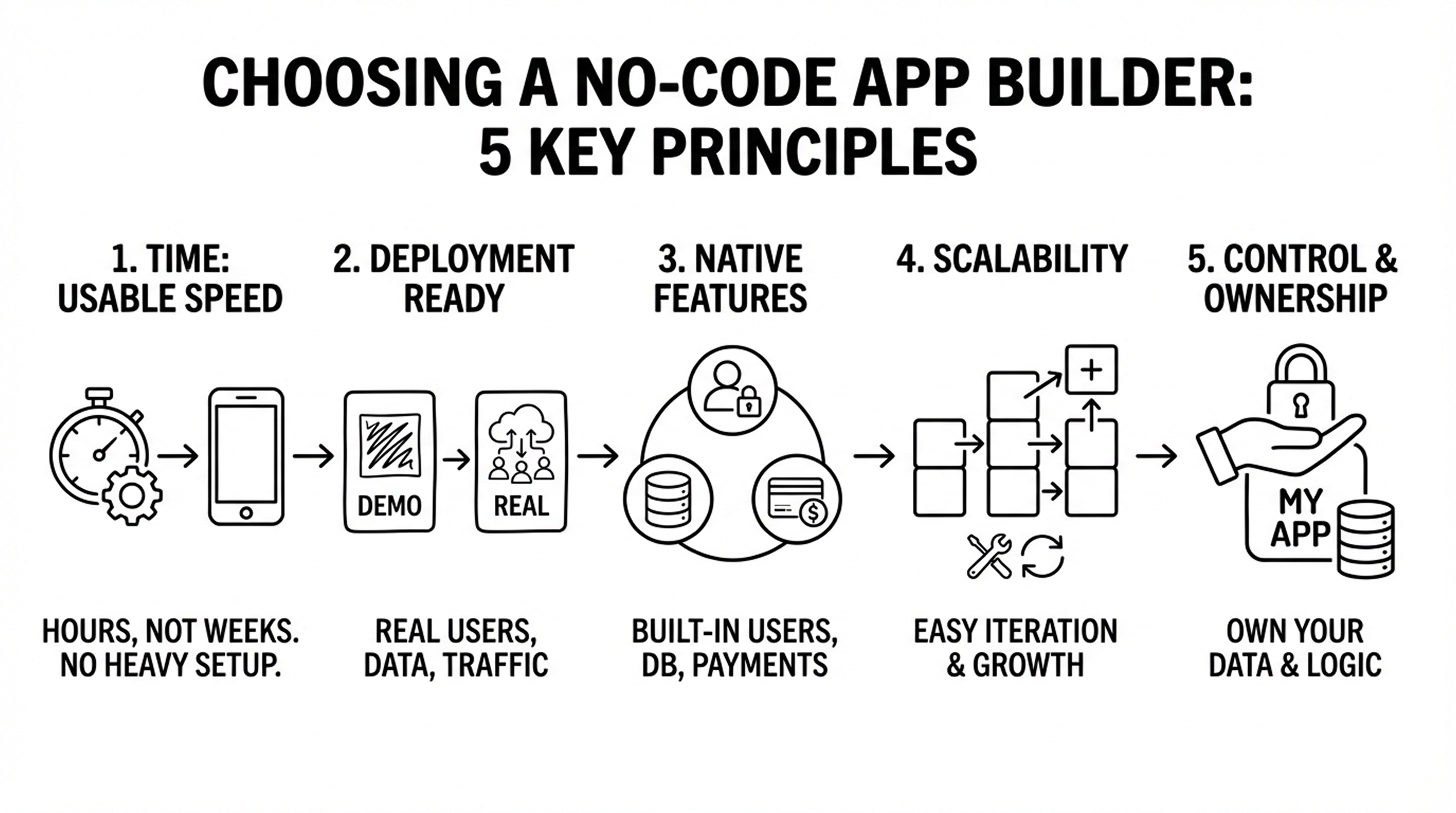
1. Time: How fast can you get a first usable version?
Ask yourself:
- Does it take hours, days, or weeks to see a usable app?
- Do you need to learn the tool first before anything works?
- Do you need to configure data, workflows, or infrastructure in advance?
Principle:
If a tool requires heavy learning or setup before you can see a usable app, it is not suitable for rapid prototyping or individual creators.
2. Is it truly “ready for deployment,” or just a demo?
Many tools can:
- Generate interfaces
- Assemble pages
- Demonstrate interactions
But they cannot:
- Be used by real users
- Handle real data
- Support long-term operation
Principle:
Only tools that support real users, real data, and real traffic can be considered ready for deployment.
Anything else is still a demo.
3. Does it natively support Users / Data / Payments?
This is where most apps get stuck.
You need to confirm whether the tool natively supports:
- User registration and login
- Database storage and data models
- Payments (subscriptions or one-time payments)
Otherwise, you will quickly fall into complex third-party integrations —
which defeats the purpose of using a best no code app builder in the first place.
4. Scalability: Can the product evolve without becoming chaotic?
Key questions:
- Can new features be added quickly?
- Is modifying workflows expensive?
- Does the product support real iteration?
Principle:
If modifying the app costs nearly as much as rebuilding it from scratch, the tool is not suitable for real product development.
5. Control: Do you actually own your app and business?
You need to ask:
- Do you control your data?
- Is the data reusable and sustainable?
- Is the product locked into platform logic?
- Is your business model restricted?
Principle:
You are building your own app, not just creating a “template instance” inside someone else’s platform.
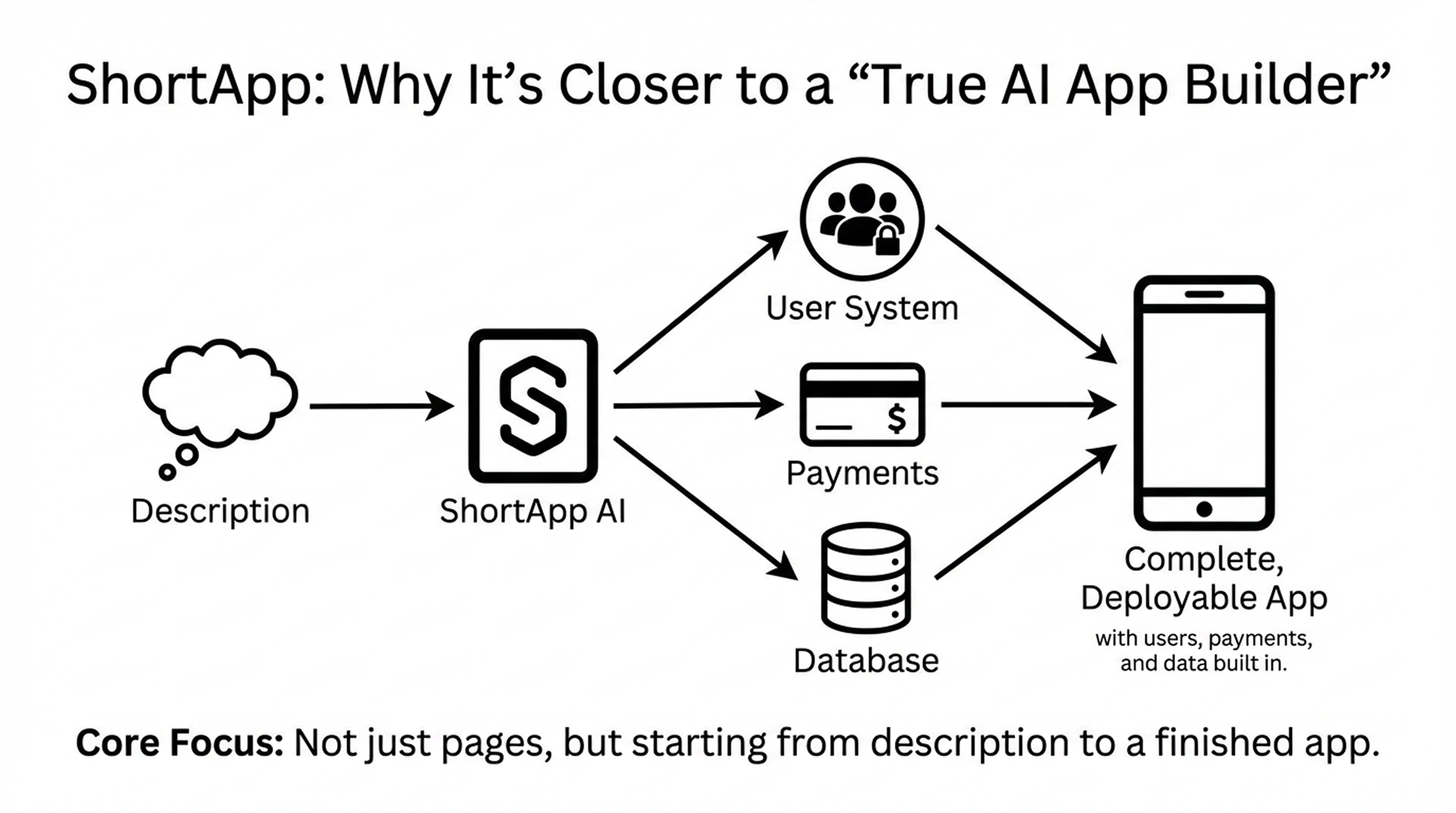
ShortApp: Why It’s Closer to a “True AI App Builder”
ShortApp is capable to integrate a full user system, payments, and database to your app.
So its core focus is not just creating pages, but:
Starting from description and generating a complete, deployable app with users, payments, and data built in.
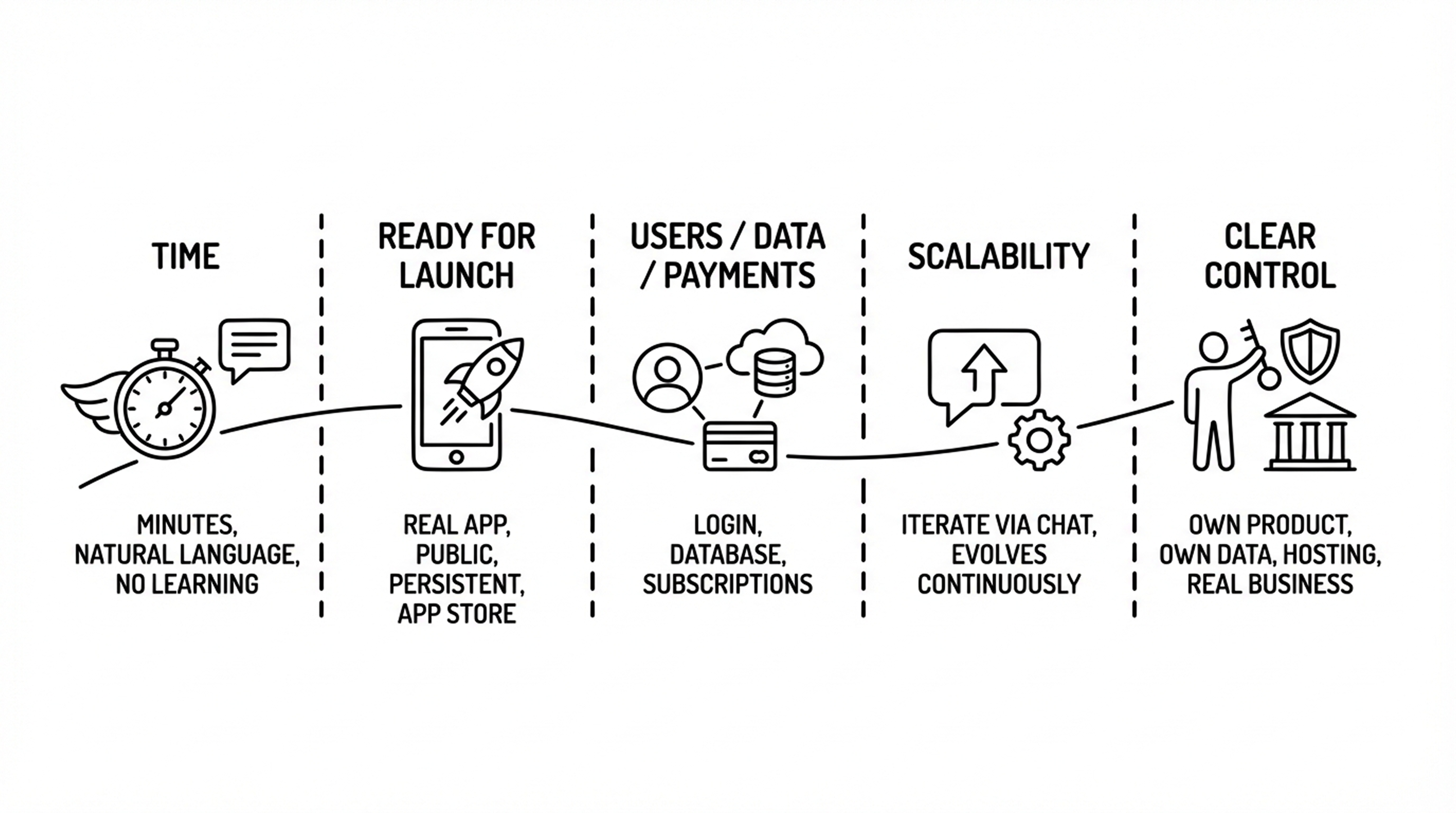
Below is how ShortApp performs based on the five criteria above.
✅ Time: Generated in minutes
- Requirements are described using natural language
- A runnable version is generated in minutes
- No prior learning of complex systems is required
✅ Ready for launch: A real app, not a demo
- Supports real users
- Can be shared publicly
- Data is persistent
- Can be submitted to the Apple App Store
✅ Users / Data / Payments built in
- Registration and login included by default
- Integrated database
- Supports subscriptions or one-time payments
✅ Scalability: Continuous iteration through chat
You can iterate by simply saying:
- “Add a feature”
- “Modify the workflow”
- “Make this feature paid”
No need to restart or rebuild — the app evolves continuously.
✅ Clear control over your assets
- You own the product
- You own the data
- The platform provides building and hosting
- Designed for real business use cases
This is what differentiates a best AI app builder from a simple generator.
Comparison of Common Alternative Solutions
A type-level comparison to help you decide quickly.
1.Traditional No-Code Builders (Pages / Forms Focused)
Advantages:
- Visual interface
- Easy to get started
Limitations:
- Logic becomes difficult to manage as complexity grows
- Too much focus on UI, not business logic
- User systems and payments often require integrations
Best for:
Simple internal tools or one-off projects
2.Low-Code / Developer-Oriented Platforms
Advantages:
- High flexibility
- Strong engineering capabilities
Limitations:
- High learning cost
- Time investment close to traditional development
- Not friendly for non-developers
Best for:
Teams with engineering backgrounds
3. AI Demo / Prototype Generators
Advantages:
- Very fast generation
- Good visual output
Limitations:
- Mostly static or semi-static
- Cannot support real users
- Not suitable for long-term operation
Best for:
Demos, presentations, pitches
4. ShortApp (AI App Builder)
Core difference:
- The goal is not “generation,” but launching
- Designed for real users and monetization from day one
- Engineering complexity is hidden behind natural language
Conclusion: Which Tool Is Right for You?
If your goal is to:
- Build a fully functional app as quickly as possible
- Validate an idea or start monetizing
- Avoid getting stuck in engineering details
- Iterate continuously instead of creating a one-off demo
Then you are not looking for the most powerful tool.
You are looking for the best AI app builder that helps you start fastest and stay in control.